Play Windows Steam games on your Mac. Right inside Steam for Mac.
Nucleus quietly unlocks Windows-only Steam games on your Mac and runs them through Steam for Mac — the app you already use. No separate launcher, no command line, no tinkering. Just open Steam, press Play, and play.
Download Nucleus — FreeFree, donation-supported. No account. No launcher to learn.
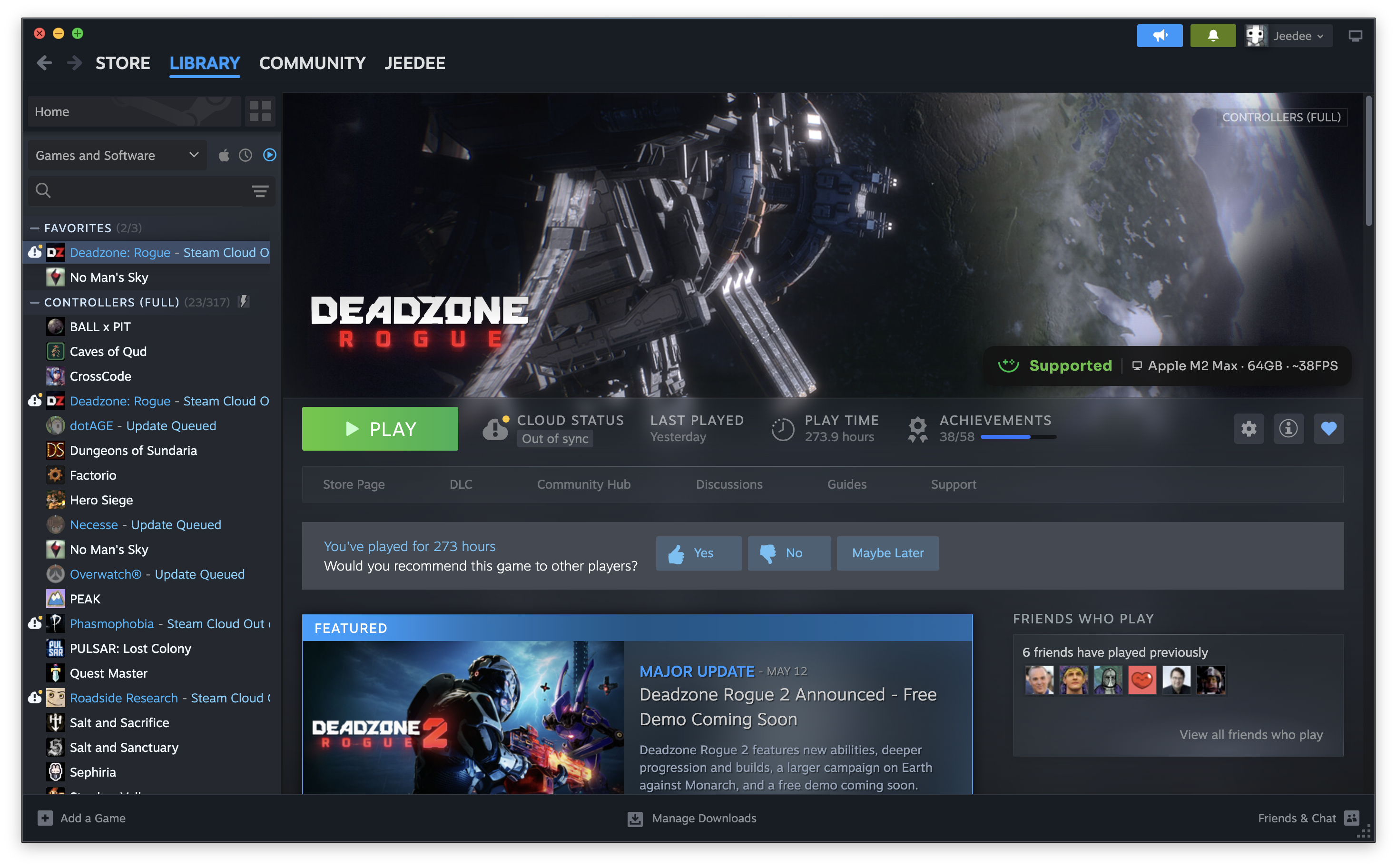
Tightly integrated with Steam for Mac. Not a launcher beside it — your library, your store, your Play button, unchanged. Windows-only games just appear and launch like they were always there.
Four steps. No setup wizard.
No config files, nothing to learn. From install to playing takes about as long as reading this sentence.
{{ step.d }}
Check any game before you buy.
Search the Nucleus compatibility database — community-tested results, with a realistic estimate for a Mac like yours.
{{ r.note }}
Live from nucleus-compat-db · anonymous community data · FPS shown for the best-reported Mac
Open up your Steam library.
Nucleus quietly unlocks the Windows games your Mac was missing — no launcher, no setup, no command line. Just press Play.
 Download Nucleus — Free
Version 2026.06.15.1 · Free, donation-supported · macOS 14 (Sonoma)+ · Apple Silicon